



The New Year sees Arattai move from phones to Android TV, making video calls bigger, easier and more social
Zoho’s Sridhar Vembu says Arattai’s TV app will keep improving through 2026
With remote work and family calls rising, shifting Arattai to TV makes meetings practical, social, enjoyable
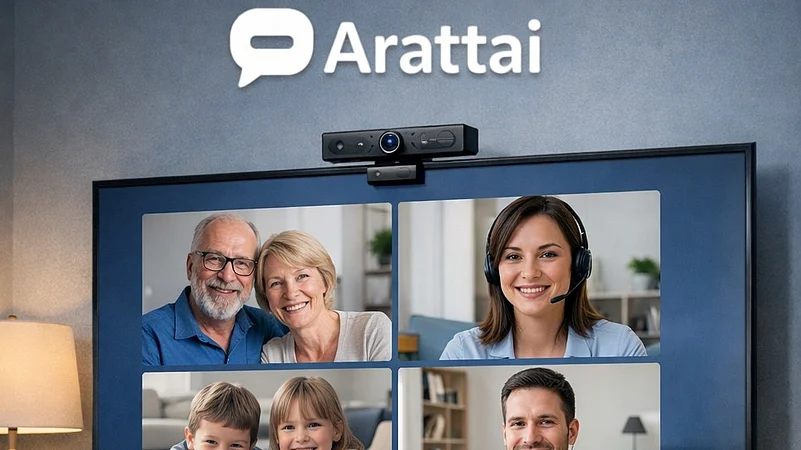
The New Year is starting on a slightly larger screen for Arattai. The personal messaging app has quietly stepped out of the phone and onto Android TV, signalling a push to make video calls feel more relaxed, more social and a little less cramped.
The update was shared by Zoho Chief Scientist Sridhar Vembu on X, (formerly Twitter). He described the TV version as meant to make video calls feel more engaging, adding that further updates are already in the pipeline. The message was clear — this is not a trial run, but a feature Arattai intends to keep improving well into 2026.
What makes the move interesting is the timing. With remote work, family video calls and festive catch-ups becoming routine, the idea of shifting conversations from a phone screen to a living room TV feels practical. It also turns routine meetings into something that looks less like work and more like a shared moment.

1 April 2026
Get the latest issue of Outlook Business


What Does the TV version Let You Do?
The Android TV app is designed to keep things simple while covering the basics:
You can start a meeting directly from your TV
Schedule calls in advance
Can easily join ongoing meetings without switching devices
View recordings of past meetings when needed
All of this is aimed at reducing device-hopping, especially during longer discussions or group calls.
The app supports smart TVs running Android 7 or above and can be controlled entirely using the TV remote. The idea is to keep things straightforward, cutting out complicated menus and making video calls easy even for first-time users.

How the Setup Works?
Getting started does not require typing passwords on a TV screen:
Install Arattai from the Google Play Store on your TV
Open the app to see a QR code
Scan the code using the Arattai app on your phone
Sync your account and start using it instantly
Users can also log in through a browser using a verification code if preferred.
One practical challenge is hardware. Since most smart TVs do not have built-in cameras, Arattai allows users to plug in a USB camera or microphone. Once connected, the app is ready for video calls.
Arattai is clearly leaning into comfort and familiarity. If it catches on, living room TVs could soon double up as meeting rooms or family call hubs, quietly changing how everyday video conversations play out.